When rental equipment breaks in a nursing home you serve, the request comes straight to your team.
Put a QR tag on every specialty bed, support surface, wound vac, concentrator and lift you place. A nurse or aide scans it with a phone camera, picks what’s wrong, and the request goes to the team that covers that facility. There’s no app to install and no login, so the night shift can report a bed alarm without calling your on‑call line.
 Low flow alarm · Sent to North team
One regional LTC pharmacy handled nearly 6,000 repair requests on ServiceTags between March 2022 and November 2026. High‑priority requests close in a median of 1.4 hours.
- repair requests handled
- ~6,000
- median close, high priority
- 1.4 h
How do nursing home staff report a problem with rented equipment?
They scan the tag on the unit. The phone opens your request form for that one bed, pump or concentrator, with nothing to download and no account to make. They pick the problem, add a photo if it helps, and send it. Before anyone on your team reads it, the request already says which unit, which facility and which team.
Scan the tag.
Any phone camera works. The page shows your company’s logo, so staff can tell your equipment from the facility’s own and from other vendors’.
Pick what’s wrong.
You write the forms. A wound vac can ask about alarms and canisters, a bed about the surface and controls, and either can offer "Ready for pickup" when a resident is discharged.
It reaches the right team.
The request goes to the team that covers that facility by email, text or push, and escalates if nobody picks it up.
If the unit already has an open request, staff see it first and can follow that one instead of reporting the same alarm again on the next shift.
See exactly what staff see when they scanRental Equipment Request
Cedar Ridge Care Center · Room 214 · LAL-0731
What’s wrong with this bed?
What can a DME provider put a tag on?
Anything you place in a facility and are responsible for fixing. Each facility includes 25 tagged assets, pooled across your account, so a building with two pumps leaves room for one with 40 beds.
- Specialty beds and support surfaces
- Won’t inflate, alarms, controls, rails
- Bariatric beds and lifts
- Won’t raise or lower, slings, batteries
- Wound vacs
- Leak and blockage alarms, canisters, supplies
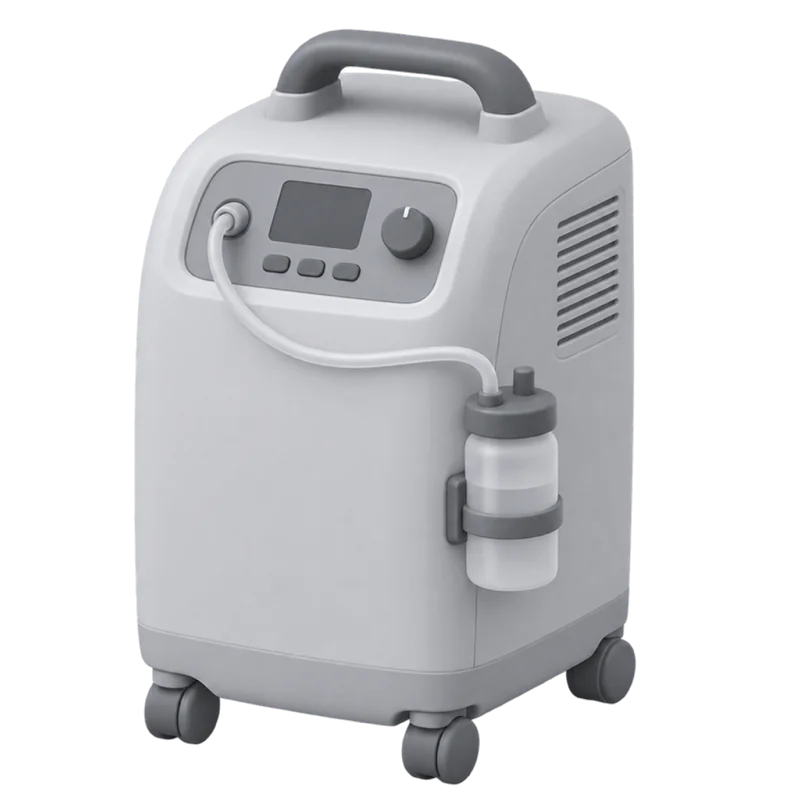
- Oxygen concentrators
- Alarms, low flow, filters
- Rental pumps
- Alarms, occlusions, tubing and supplies
- Wheelchairs and positioning
- Brakes, cushions, footrests
Your equipment moves. Its history goes with it.
Rental equipment goes from resident to resident and from building to building. The tag stays on the unit, so every request and every repair stays with that bed or pump wherever it goes. When you move one, change its facility in the dashboard, or change up to 100 at once, and new requests go to the team that covers the new building.
ServiceTags records the facility you assign, not a live location. It won’t find a lost bed, but it shows every unit you’ve placed in a building and what’s open on each one.
One queue, routed by facility.
How does each request reach the right team?
By facility. Each nursing home you serve belongs to one of your teams, split by region, by route or however you divide the work. A request from that building goes to that team by email, text or push, and escalates if it sits open. Emergency requests can follow a rule of their own.
Scan from
Cedar Ridge Care Center
- North team38 facilities
- Metro team54 facilities
- South team29 facilities
Can our drivers and techs file requests too?
Yes. A driver can file for a facility during a delivery, and your office can file from the office. Their requests land in the same queue as the scans and route the same way.
- Mattress won’t inflateCedar RidgeScan
- Concentrator is loudWillow BendDriver
- Pick up bariatric bedOak HollowOffice
- Wound vac alarmMaple CourtScan
What does the facility see when it’s fixed?
The tech records what they found and what they did, and the request closes. Staff can follow it from the page they reported on, and a form rule can email them when it’s done. Every unit keeps a dated history, so when a director of nursing asks about the bed in Room 214, you can show them.
WV-2207 · history
- Nov 03Leak alarm. Resealed dressing, alarm cleared.
- Sep 19Canister full alarm. Replaced canister.
- Jul 02Ready for pickup. Collected and cleaned.
How is this different from a CMMS, or from phone and fax?
A CMMS like MaintainX or UpKeep is built for teams that run their own buildings. Requesters get accounts, and scheduled preventive maintenance is the center of the product. ServiceTags doesn’t schedule PM.
Phone, fax and email do reach you, but they rarely say which unit, and someone still has to work out which team covers that building. A tag tells you both before anyone picks up the request.
What does ServiceTags cost a DME provider?
From $500 a month, including your first 25 facilities. Users are unlimited, so every dispatcher, driver and tech can see the requests.
From
$500a month
including your first 25 facilities
- Lower per-facility rates as you add more
- 25 tagged assets per facility included, pooled across your account
- Unlimited users and requests
- Durable tags $2 each, free shipping on 50 or more. Or print your own on standard label sheets
- 60-day pilot on 10 to 25 facilities: $1,000, setup included
What DME providers ask first.
How do nursing home staff report a problem with rented equipment?
They scan the QR tag on the unit with a phone camera and pick what’s wrong. There’s no app and no login. The request goes to the team that covers that facility, already tied to that bed, pump or concentrator.
Do nurses and aides need an account?
No. They never sign up, download anything or remember a password.
What happens when a unit moves to another facility?
The tag and the history stay with the unit. Change its facility in the dashboard, one unit or up to 100 at once, and new requests route to the team that covers the new building.
Can staff tell us a unit is ready for pickup?
Yes, if you add it as a choice on the form. A pickup request names the unit and the facility and goes to the same queue as repairs.
Does it show where a bed is right now?
No. ServiceTags records which facility each unit is assigned to, its status and its history. It isn’t GPS.
Does it schedule preventive maintenance?
No. ServiceTags handles the problems staff report and keeps each unit’s repair history. Keep your PM schedule where it is today.
What does setup involve?
We import your facilities and equipment, route each facility to its team and ship your tags. Your team pairs each tag to its asset in the app and sticks it on.
Is there a free trial?
No. You start with a 60-day pilot on 10 to 25 facilities for $1,000 flat, setup included. Tags are $2 each. If you sign for a year, the $1,000 comes off the first year's bill.
See it with your own facilities.
Bring a list of the nursing homes you serve and what you've placed in them. On a 30-minute call, we'll look at how your teams split those facilities and route a test request end to end. If it fits, start with a 60-day pilot on 10 to 25 facilities for $1,000. We do the setup.
Or scan a demo tag and send a test request.